> For the complete documentation index, see [llms.txt](https://siff.gitbook.io/siff/llms.txt). Markdown versions of documentation pages are available by appending `.md` to page URLs; this page is available as [Markdown](https://siff.gitbook.io/siff/getting-started/service-definitions.md).
# Service Definitions
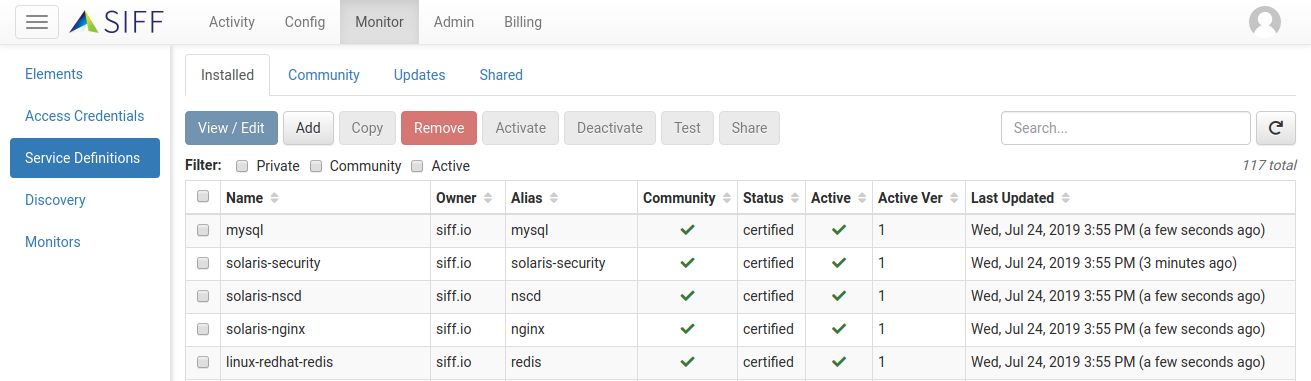
The power of the SIFF platform is monitoring configuration data and making this available to help solve various challenges in Network and IT environments. The key enabling piece is acquiring relevant configuration data on a regular basis - and this is where Service Definitions play an important role.
Service Definitions provide a way to:
* Determine whether the definition applies to a particular device - this is known as it's *Signature*.
* Specify what configuration data should be retrieved from the device. Currently this can be a combination of file contents and the output of issuing commands.
On new SIFF deployments a set of *Certified* Service Definitions will already be installed and active, so as soon as devices have been discovered we'll begin monitoring.
#### The Community
Service Definitions can be either *Private* or part of the community. This is visible via the Community tick and the *Status* provides more information:
* *Private*: Created by an Operator or Admin within your organization and only visible/available to your organization.
* Community:
* *Certified*: These are either from SIFF or vetted by SIFF from the broader community and certified to perform comprehensive collection of configuration data from common systems and applications. Certified Service Definitions are automatically installed and set Active - however they can be disabled if preferred.
* *Approved*: Community submissions vetted by SIFF and recommended for use. These must be installed and activated manually.
* *Unsupported*: Community submissions also checked by SIFF but due to not being able to test ourselves we cannot make a recommendation.
### Installed Service Definitions
The default *Installed* tab is used to manage Service Definitions installed into your environment.
| Action | Description |
| --------------- | -------------------------------------------------------------------------------------------------------------------------------------------------------------------------------------------------------------------------------------- |
| **View / Edit** | View detailed information about the selected Service Definition, including the *Signature* and any *Files* or *Commands* collected. Also allows editing of *Private* Service Definitions. |
| **Add** | Add a new *Private* Service Definition. See [Creating Service Definitions](https://docs.siff.io/getting_started/service-definitions/#creating-service-definitions) for more information. |
| **Copy** | Make a copy of the selected Service Definition. It is possible to copy both *Private* and Community Service Definitions in order to make customizations or variations. |
| **Remove** | For Community Service Definitions this will uninstall, for *Private* Service Definitions this will delete. Note it is not possible to remove *Certified* Community Service Definitions, although they can be Deactivated (see below). |
| **Activate** | This will enable the Service Definition for monitoring purposes. Monitoring will begin the next time [Service Discovery](https://docs.siff.io/getting_started/discovery) is run as long as there are devices that match the signature. |
| **Deactivate** | This will disable the Service Definition for monitoring purposes and immediately stop any existing monitors. |
| **Test** | Allows for the testing of the Service Definition against a device within your environment. This provides a convenient way to test the operation without having to activate. |
| **Share** | See [Sharing with the Community](https://docs.siff.io/getting_started/service-definitions/#sharing-with-the-community) for more information. |
### Browsing the Community
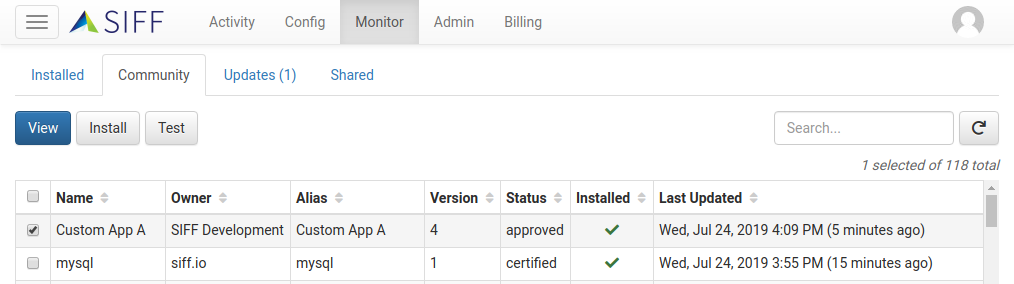
The *Community* tab provides a way to browse and install *Approved* and *Unsupported* Service Definitions from the community.
| Action | Description |
| ----------- | -------------------------------------------------------------------------------------------------------------------------------------------------------------------------------------------------------------------- |
| **View** | View detailed information about the selected Service Definition, including the *Signature* and any *Files* or *Commands* collected. |
| **Install** | Install the selected Service Definition into your environment. Note only the latest version of a particular Service Definition is shown. Also once installed the Service Definition will still need to be activated. |
| **Test** | Allows for the testing of the Service Definition against a device within your environment. This provides a convenient way to test the operation without having to install. |
### Community Updates
The *Updates* tab indicates whether any updates (new versions) are available for installed Community Service Definitions.
Similar to the Community tab you can *View*, *Install*, or *Test* the new version.
### Sharing with the Community
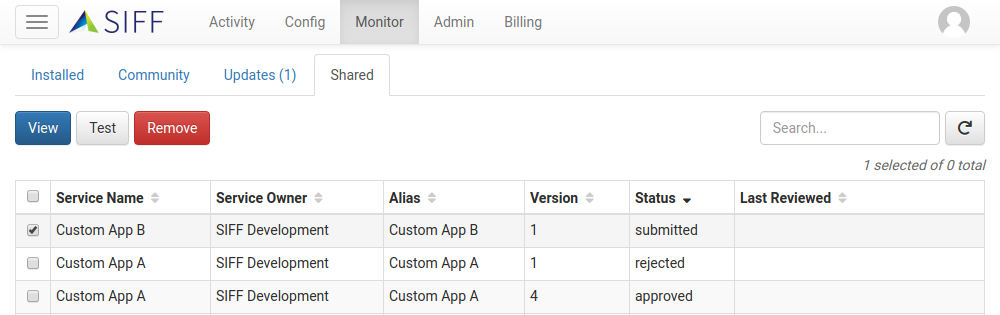
Sharing a Service Definition must be done from the *Installed* tab. However once submitted the *Shared* tab can be used to view the status and manage any shared Service Definitions.
| Action | Description |
| ---------- | ------------------------------------------------------------------------------------------------------------------------------------------------------------------------------------------------------------------------------------------------------------------------------------------------------------------------------------------------------------------------------------------------------------------------------------------------------- |
| **View** | View detailed information about the selected Service Definition, including the *Signature* and any *Files* or *Commands* collected. |
| **Test** | Allows for the testing of the Service Definition against a device within your environment. |
| **Remove** | Allows for the removal of shared submissions that are still pending approval. For example if there are issues with the submission, or a Service Definition was accidentally shared. Once approved and published to the community it is no longer possible to remove the Service Definition as it may be in use by other organizations. In the event a published Service Definition really does need to be removed please contact the SIFF support team. |
### Creating Service Definitions
While SIFF and the Community provide many Service Definitions for common systems and applications it may still be necessary to create custom definitions. Some reasons to consider creating Service Definitions:
* Private in-house application to monitor.
* Supported system or application however customizations needed for your environment.
* Un-supported application. In this case also consider sharing with the Community!
Refer to the [Creating Service Definitions](https://docs.siff.io/guides/creating-service-definitions) guide for more information.