> For the complete documentation index, see [llms.txt](https://siff.gitbook.io/siff/llms.txt). Markdown versions of documentation pages are available by appending `.md` to page URLs; this page is available as [Markdown](https://siff.gitbook.io/siff/installation/collector-installation/verification-and-troubleshooting.md).
# Verification & Troubleshooting
### Verify Collector Status
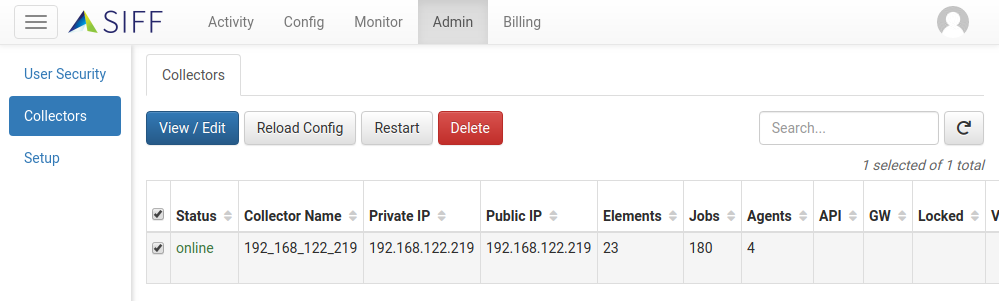
With the Collector correctly installed and configured it should register itself with SIFF:
1. Within the Admin app, browse to the *Collectors* page
2. If the collector is able to communicate with SIFF you will see a new entry and the status should show up as `online`
### Troubleshooting
#### Collector does not register with SIFF
This can happen if the Collector service fails to start due to a missing collector.yml, or a problem binding to the default listening ports (see the [System Requirements](https://docs.siff.io/install/system-requirements)). This can also happen even if the collector is running but cannot communicate with the SIFF platform.
For more details take a look at collector.log in the Collector installation directory.
#### Collector status showing offline
If the Collector is showing as offline then either the service is not running or there is a problem communicating with SIFF.
* Check the Collector service is running
* Take a look at the collector.log in the Collector installation directory for more details.